Cases

What we've actually built

No mockups. Each of these runs daily for a real client — here's the problem it replaced, how it was built and what changed afterwards.

Before

  • Phone calls
  • Photos of receipts
  • Emails
  • PDFs
  • Spreadsheets
  • Manual entry
  • Lost documents

After — Taras IT Digital Office

  • Chat replies, 24/7
  • Receipts parsed in seconds
  • Emails sorted and tagged
  • PDFs extracted to data
  • Sheets filled without typing
  • Manual entry eliminated
  • Documents always findable
Online booking office with a date and time slot grid for appointments
Service Business · Esthetician, nail salon, barbershop

A Virtual Office That Works 24/7

Business Office — built around the unique needs of your company.

The problem: Every appointment meant a phone call to agree on a time. Missed calls, double-bookings and last-minute reschedules ate hours every week — and no one wanted to install another app.

What we built: A private online office on the existing site shows live free slots for the next two weeks. The client books, reschedules or cancels directly in the browser; the calendar, reminders and confirmations update automatically.

  • No phone calls to confirm a time
  • Reschedule or cancel without contacting anyone
  • Double-bookings impossible by design
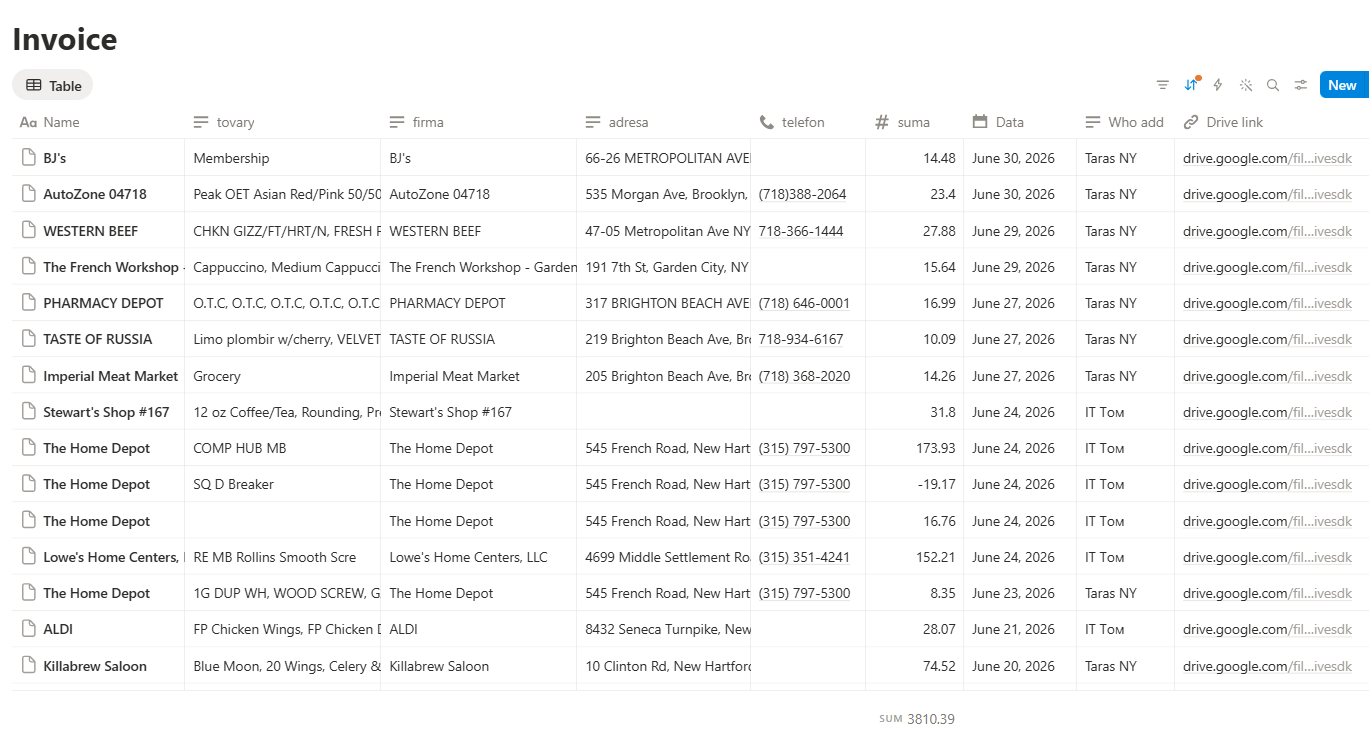
Automated invoice tracking table with vendor, date, amount and job columns
Construction · Remodeling crew, 6 people

Every receipt filed the second it hits the chat

The problem: Receipts lived in five different pockets and truck dashboards. Reconciling a single job took the owner an evening, and roughly one in ten receipts was simply lost.

What we built: A Telegram bot inside the existing crew chat reads every photo, extracts vendor, date, total, tax and category, then writes a row into Google Sheets tagged with the job address.

  • Receipt gets filed in under 10 seconds
  • Lost receipts dropped to near zero
  • Owner saves 6–8 hours a week on paperwork
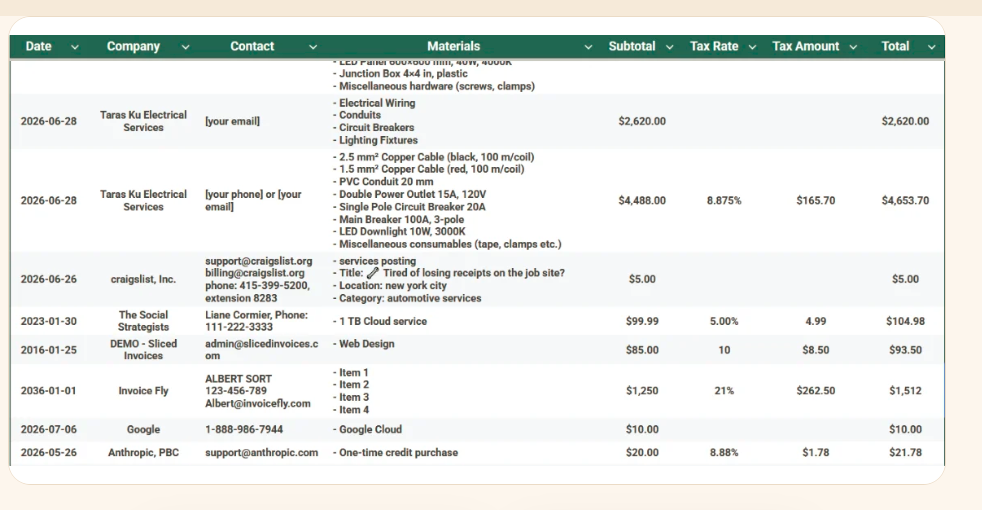
Spend report split into materials, tools, fuel and permits with tax totals
Construction · General contractor

Tax-ready categories without an accountant chasing you

The problem: At year end the accountant sent back a list of 400 questions. Categories were guessed months after the purchase, and tax amounts were never separated.

What we built: Category rules were built around the client's own chart of accounts. The system separates tax, flags anything ambiguous for a one-tap confirmation in chat, and produces a monthly summary per job.

  • Monthly report delivered on the 1st, no chasing
  • Tax separated on every line item
  • Year-end prep went from 3 weeks to 2 days
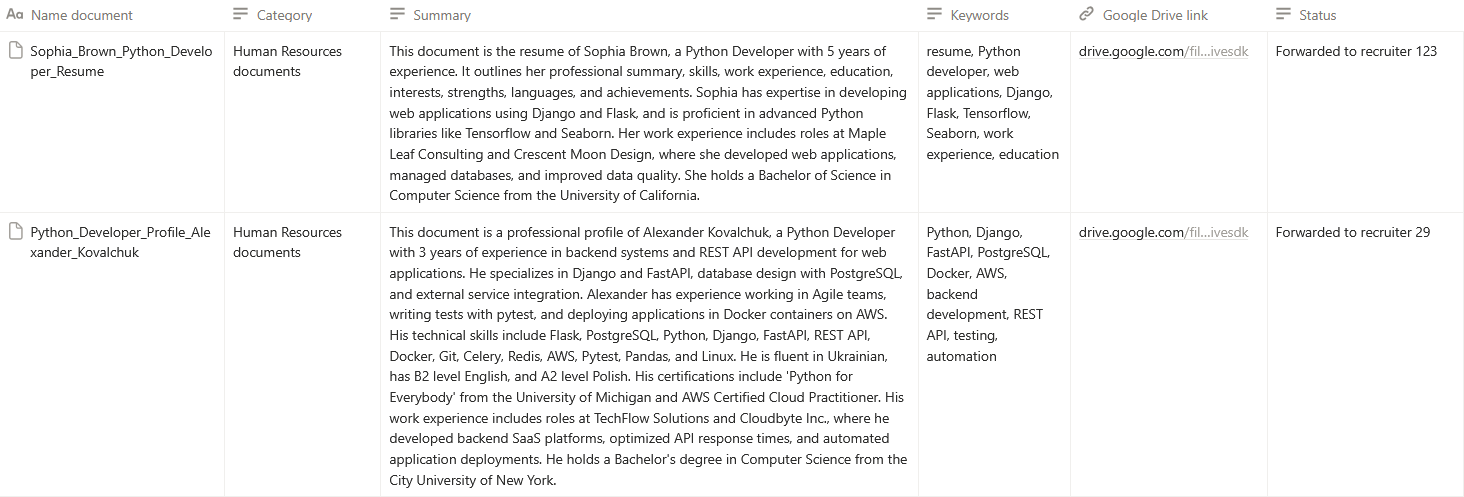
Recruiter inbox with applications parsed into a structured candidate table
Custom · Staffing agency

Inbound applications sorted before you open your inbox

The problem: A recruiter spent the first two hours of every day copying names, phone numbers and experience out of email attachments into a spreadsheet.

What we built: An email-triggered pipeline reads each message and attachment, normalizes the data, deduplicates repeat applicants, and posts a daily shortlist digest.

  • 2 hours a day of manual entry removed
  • Duplicate applicants caught automatically
  • Every candidate reachable from one table
How it works

Three steps. No new habits.

The only instruction your crew ever gets: send it to the group chat. Everything after that happens without anyone touching a spreadsheet.

01

Send it to the chat

Your crew sends a photo, voice note or forwarded email to the group they already use.

02

It reads itself

Vendor, date, total, tax and category are extracted in seconds — no typing, no forms.

03

It lands where it belongs

The record is written to your Sheets, Drive and bookkeeping tool, tagged by job address.

Which of these looks like your week?

Tell us the task that eats the most time and we'll say plainly whether it's worth automating.

Book a free 20-min call